So, this was overdue and especially for futures plans and even the chance to really be able to see how this would work out, the Prif streambox kit. Now this I've had word from the owner and did help with the manual creation. But in the end I did purchase online for about £120 somewhere now. But this has a lot of things going for it which I was shocked and amazed at. Now most places sell it for £129 or some too good to be true at £19.99 . But we will look into this and see how it can perform.
The Packaging:
One good thing here is that the packaging is actually decent and easy to see, with it being clear on what it does and the colour scheme does fit Prif in their own regard with the Dark blue and the Black and White. The image of each part of the kit is a bonus as well.
The front of the box
The bottom of the box
The left side of the box
The right side of the box
The back of the box
The Top of the box
But its when you look inside, the layout is really organised with each box named inside which is really cool, you don't get that normally with other cards or packaging too. But each box was named for each part.
HD Microphone
Webcam
Streambox
Underneath that is the cables and CD
The layout of the box
Then it was time to have a look at each Box.
HD Microphone.
The front of the box
Now this has a bit of the case of the little packet then it has in
1 x Tripod that folds
1 x Microphone with single 3.5mm jack
1 x 3.5mm Splitter
Now the Mic does fit in a certain way which makes it somewhat easy to use on the stand, but the stand is rigid as well. This does make it stable for it to stand.
The bottom
The 3.5mm Splitter
A side view of the stand
The holder for the mic
A Side view for the mic
The 3.5mm jack end of the mic
Which this is pretty much the part of the mic done. which then it was for the next box to be seen.
The HD Webcam:
Now for this, there was a suprise which made some sense when you read other reviews. But the box had its own little mansual inside it as well as a webcam lens cover.
The box for the webcam
The webcam lens cover
The front of the manual
The setup of the camera
More of how the camera can work in the manaul
Then it comes to the webcam, this looks like a knockoff of a Logitech C920 but it has some unique features such as the screwhole for the tripod and also it uses a Mircro USB connection. Now this is unqiue and can explain why some people say about the issues with the webcam not working after a while due to the loose micro usb port. My only thing I can see is that the cable should have been a right angled micro USB cable, which would have helped with the connections issues.
This is the front of the camera
The bottom of the camera with the tripod
The camera from the side
The camera with the lens cover but open
The Camera with the lens cover but closed
The good feature is that the cable can be changed but of course with the reputation of the cheap cables, the connection could break. There is also a good mention that this works on Android as well as even Smart TVs with the skype calling features. This wont be tested since well its not really a requirement due to so many more devices such as Portal and even Echo with the screen. This then lead to the star of the show.
The Streambox:
Now this is actually the simplest of the Boxes, since it only had the streambox inside it.
The Front of the Box for the streambox inside
Then it comes to the box itself, a curved box with a fair amount of inputs and outputs such as 2 3.5mm jacks, both HDMI in and out a component cable in (with a special connector that is acutally supposed to be sold from the prif website) . The box uses USB Type C for the connection which is actually a good point since Micro USB is a eadly pain (RIP the usb port on the TBOX Mini and even soldering it back on did not work.
The LED indicators on the front of the box
The Bottom of the box with the Batch number
Then it was the back outputs.
The front jacks of the streambox
I mean this has the potential to do more than I was expecting. But we were not done yet.
The bottom of the box:
This is where we finally look at the other bits, so we get inside:
1 x Dual USB Cable to Type C
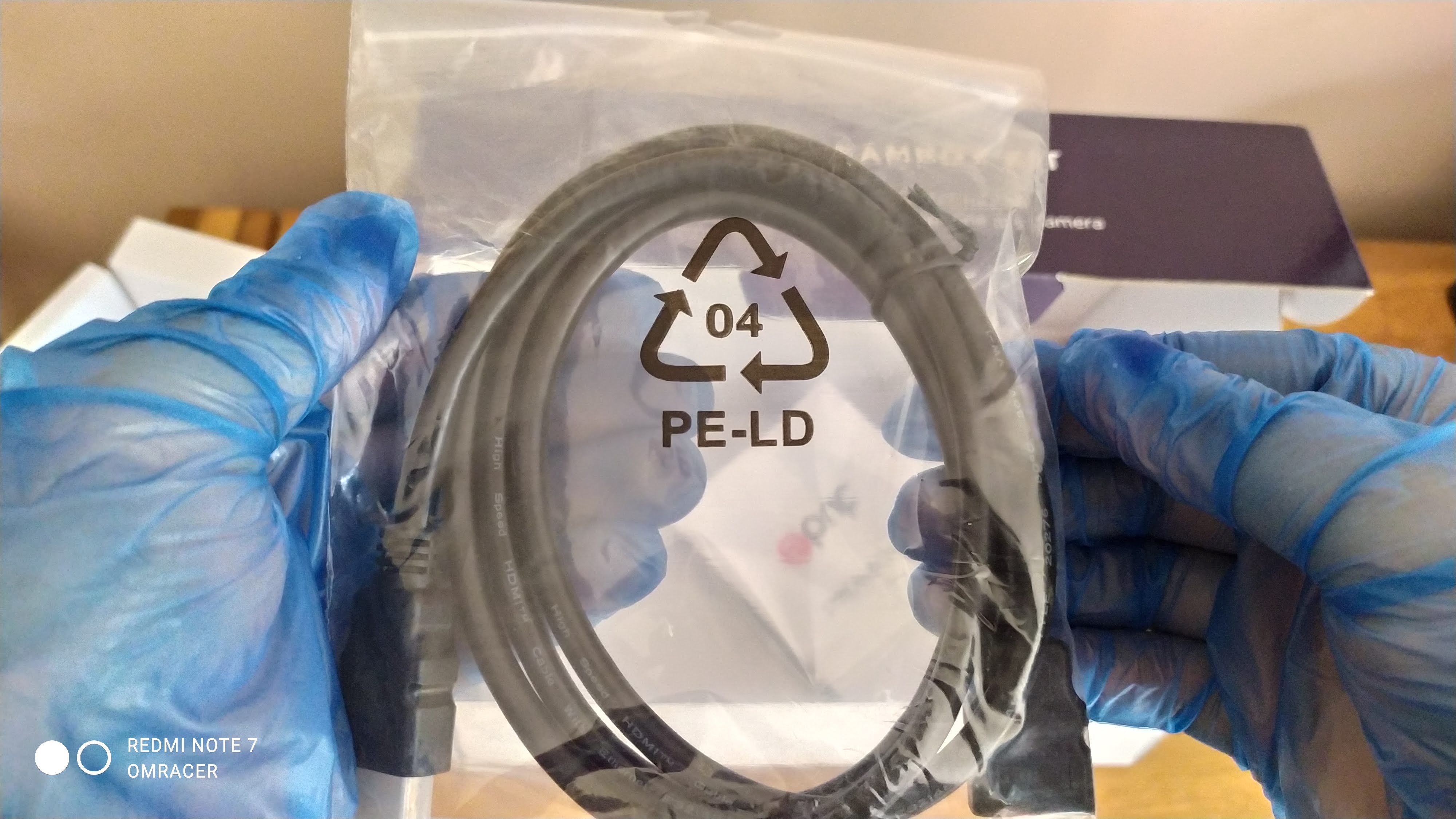
1 x HDMI to HDMI Cable
1 x Driver DVD (We do not look into this actually)
1 x Manual
A look in the box before we open it
Showing underneath the flap
Now for this bit, the Dual USB cable is acutally surprising on this, since most cases laptops now support USB 3.0
The Dual USB to usb type C
The Manual is one of the things i've seen and helped written, Now it is detailed and also gives screenshots on how to do things, this is always a good shout. Even with how to use and install the Software from the CD. That and the table of troubleshooting is good.
A Blurred look at the manual
When it comes to the CD/DVD, it does mention that Cyberlink Power Director and also SysCap is put on there. Most of the Drivers you will find out are what we call UVC which really applies to 8.1 and 10 more than 7. This means plug and play which means you do not need the disc to set this up.
The blurred look at the CD
Also the HDMI Cable and the 3.5mm Jack cable is added in. This is useful since of the issue that PS4 can not allow multi output (But the PS3 can even if it reduces the audio channels to stereo), so you can plug in the Dualshock 4 into the box.
Also a jack to jack cable is added in
With that all done, it was time to test and setup:
Setting up the Kit:
The microphone:
Getting this instaled was easy for most devices, but with the Xiaomai 6 Pro, there was a problem where the realtek drives did not pick it up, but actually that was to the laptops fault. Using modded drivers fixed that issue and it worked fine when selecting Mic in using the Pop up on plugin option in Realtek Audio console . The quality is not too bad from a distance, not mich of a boom unless your lips are closer, this is not omni directional from what i can make of it.
The Webcam:
Now this is where things really make a difference, since the bezel on the Maibenben is quite thin, it can make it tricky for it to grip on, but with normal monitors, the grip is much much better. Which OBS just picked it up no problem and I really even managed to do a comparison of the 2 cameras on the laptop (one built in and one of the Prif camera).
The 2 camera on OBS from my view
The camera look from OBS on its own
This allows me to then change any settings such as brightness or even the contrast just inc ase.
The Camera settings
Both cameras shown sort of PiP
But that means its good for the 720p which can only record at 30 FPS but bundled woth this kit, the quality is quite good. More realism on the light compared to the camera built in.
But then it was time to have a look at the big part.
The Streambox:
Now for this bit, since the box is supposed to also be plug and play aka UVC compatible. But we check that in Device manage when its plugged in. I also used a cheap USB type C cable to USB A and not the cable it was provided with. Device manager tells us its a camera, not a video device. The cheap cable does not work with quality but a Morphie or braided USB to C to USB A cable works nicely
The Device general tab
The Driver tab
The Driver details
The Look at the Hardware ID
The Device description
Now that name is somewhat dejavu in a way, I will tell you why, its Velocap U3 Pro in a cut down version, I kid you not. By that regard it means I have a feeling about the quality and well, its GOOOD. Now it made no issues on response times if playing directly in OBS preview, well maybe some minor input lag but only some games will notice that. If you look at the properties as well, it does mention there is a separate audio device for that box as well.
The properties of the U3 in OBS
But when I was previewing it, it worked on PS4 no problems, with non HDCP on the box no problem. Even 1080p 60fps works fine. But if HDCP is turned on or use a PS3, then sadly its a blank screen.
The PS4 working Fine without HDCP (Resolution is at 720p due to the Acer monitor not supporting 1080p)
The HDCP makes it like this or if resolution is changed
HDCP turned on makes this happen
The PS3 CAN work if you use a HDCP Splitter or in this case the TBOX Mini as a passthrough
Testing:
Now what can I say, it was smooth as butter and the laptop managed to record using all 3, even at 1080p 60fps with no lag. But the sound I did need to tweak since the Turtle Beach headset I used and plugged into the Streambox did cause it to do a double echo since it was used along with the Mic in, Also there is a chance t could have echoed using the microphone using the HD Webcam.
Remember the laptop or PC must be powerful enough to record or stream 1080p 60fps, 4K will downscale but I don't have 4k so cannot test this. In the case of the Maibenben, the quality worked fine with very little issues. The Camera worked fine and looked good, perfect for lets plays, green screen would work but the light will need to be a bit brighter in my opinion.
Conclusion:
Now this is a great bit of kit for the Price, yes I might of purchased overpriced compared to prices I've seen but they might be used or refurbished. But for what i want, its got everything I want and ease of use, well its there and that is what matters. The U3 being UVC or plug and play, its really the best feature since drivers for capture cards or boxes can be a nightmare to sort, the Velocap u2.
That was a clear example of messed up drivers being the problem and boy it killed the review rating ( I need to review that) . The camera works fine even if it can be a bit problematic for some uses who do not look after cables properly. The Mic is clear if spoken close to it.
With all this in mind.
omracer's Rating: 8/10
The Good Points:
Bundle of 3 items
Amazing Value for that bundle
Decent Looking of each item
Works with OBS Studio or any App for streaming
Both the Streambox and the Camera being UVC aka plug and play
Records 1080p 60fps no problem if the laptop or desktop can handle it
The Camera can fit onto a tripod
The Bad Points:
Can be hard to find brand new, be wary if the price is £19.99
The Camera uses a Micro USB Connection so can be easily damaged
Make sure you have Audio drivers if you use the Mic on laptop (Windows default Drivers will not work)
Some slight glitches on the recording on loading screens or resolution changes in game
And there you have it, now that for me will be eased off for 2 weeks or so. Plans to accerlate and Future with special to be chosen and questions to be asked (the normal blog might clear that up one day). But this will be used for things like Fallguys and even other games in the later of this year.
UPDATE 26/08/2020: In all Honest, this now longer works as a capture card due to the issues with OBS Classic and no support for OBS Studio in any detail at all. Even with the Disable Audio drivers. Rating is now downgraded to 3/10.
UPDATE 28/06/17: THIS can now work if the Onboard Audio is disabled from the motherboard, this is not perfect as changing any settings or not closing OBS Classic after streaming can cause the error but also sound is working and syncing fine too.
UPDATE 22/02/2016: There is currently a major problem with the u2 and OBS when using Windows 10 build 1511 (aka the "November" Update). A "out of memory when trying to allocate -xxxxxx bytes to xxxxxx" message appears just after the audio mixing program appears and then OBS crashes. OBS Studio/MP just has a blank Screen. I've contacted velocaps about it and they haven't got a fix for it.
With the release of the HD72A which i've reviewed and done research on and since, it turns out the company behind them actually made a few USB versions, which some had more features and a price budget higher than an elgato. That was the U1 and U3 which were at the £200, but recently, there was a budget version, the U2.
The costs for this were (roughly converted in GBP)
£80 for the capture card itself
£20 for DHL Global delivery (aka DHL express)
£19 for DHL HMRC Customs fees
Technically that should make this cost around £120 which actually cheaper than the price of a Elgato GameCapture (HD60) on Amazon. Which actually for me it turned out cheaper since i've bought some HD72A to sell on ebay to do some tests. A funny fact is that it took 2 weeks since the rep didn't put my address in correctly then when it arrived a day earlier than expected, the rep walked into the garden and put it in with the bike, me and my dad laughed, but more so at the haircut
The video review for this is below:
The packaging
So the box is actually quite a nice concept of branding, sure there is ALOT of chinese language, it could be mandarin but i'm not sure. Which gives it a nice unique look and makes it stand out compared to the versions you might see from other suppliers (like the box of the HD72A i had, which had a intresting design but no recognition of the brand. There was contact info as well which made it feel like a real product that could be off the shelf.
The top of the box with a TV as well as Full HD and some english translations. Notice it supports from XP to Windows 8 (non are official support logos either)
The front of the Box, with the Velocap and video capture card family text in english and chinese
The bottom of the box, showing the range of products Timeleak offer as well as some logos and contact details, notice the HD72A and HD72B are listed/shown.
The sides of the box are pretty much this
Again, the same on the back of the box
The sides of the box look like this
The insides
As the box opens from the front with very little hassle, we are greeted by the following:
The capture box itself, in a seal which is a bit of thin foam protection
A Mains adapter which only has a Chinese Plug, so you might need a travel adapter, luckily chinavasion products sorted this out when i ordered from them ages ago.
A Mini USB Cable
A A4 booklet as the manual (all in chinese so sadly this might put people off)
A driver disc (funnily enough, this was not imaged on, this was still showing the CD brand)
Which that was interesting to find it had no HDMI cable, not to worry since my work has some slim HDMI cables for £8 which look and feel nice. Also the manual was really showing that it might ONLY work with the software provided, that will be a pisstake if this is the case, but we shall hope and see if its not true.
The CD was fun to see no printing on it, a interesting reason why that wasn't done, was it time or was it since the product is still very new, i'm not sure to be honest,
Opening the box up and this is what shows
The charger and ARIES STOP BITING THE BAG
The mini usb cable (Mini B to Standard usb)
The foam packaging wrapped around the box
The driver disc which has no printing onside it
The front of the manual, which the contents part of the specs and more
A table of details and some info on HDMI ports
How to install the software, part 1
How to install the software, part 2
Introducing the software, part 1
Introducing the software, part 2
Configuring audio settings
This seems to be related to 3rd part apps but i'm not sure
Well it was time to look at the actual capture box itself. Which was really light and quite clear where each of the connections were as well as a lit power button which was quite a good glow, the only downside is, it can be easy to fall out of place but since its a plastic mould to press on a actual button on the card, its not a major problem unless you have big fingers.
The box itself from a nice viewpoint
The bottom of the box
This was the top of the box, with only the power button and a power led
The back of the box, which has the hdmi, mic in, usb and power connectors
That was pretty much it, now it was getting to the point where it was testing time.
Time to set it up
This wasn't that complex, using the plug changer, i got it plugged into the mains, using a hdmi cable i purchased from work on my way back home, it plugged it into the vita tv and then the other hdmi into the tv, oh and the usb to the PC of course. I powered it up and the red light was flashing after it being soild. Which was odd at first, but i haven't switched the TV on.
The setup on the box's end.
The vita TV plugged into the box and then another cable to the TV.
This is also where i was nervous if it was even going to work, you know how some people feel. But i plugged it in and it did pick up the card, no luck from windows update, interesting, but since this was on 10 TP, MS could always nick the drivers from the feedback terms.
The driver info for those that want to know:
The Hardware IDs
Options on what to do
Code 28 status
Then it was time to load the disc. Literally the sice of the disc was 32mb. And there was only one setup file on it. which was the velocap recorder software, The drivers are not on velocaps site but since there is not much of these around or mentioned, i'll add them later if requested.
Whats actually on the CD
Installing it was quite quick, the setup WAS in english as you see in the blurry part of the video. But after that, it installed the drivers, which interestingly enough, it only listed the audio part of the card in the "Audio, Video and Game controllers" section of device manager and the video part was in USB devices ?. But this made me worry obs wouldn't work.
The video part of the drivers after
The digital signature
The same hardware IDs
The events with the inf install
The testing.
Now this is where the moment of truth will or would of happened, will it work or have i bought crap. At first it was appearing with Device Connected, but the preview was turned off, then i clicked the preview button and YAY. A picture appeared on the screen, with little hassle and the sound was fine too.
The vita TV working with Velocap Recorder
Which was exciting and it was working smoothly, the only problem i noticed was there was a delay between the tv and also what was on this. Which for most shouldn't bother or maybe it happened with elgato and i don't know much on them. Anyways, enjoy pics of the various settings, most of the icons are simple to explain here. Well the camcorder means record, the camera means screenshot, the mic means mic settings, the arrows for fullscreen etc.
The settings screen
The options for recording
This is interesting, there is an option for firmware for it
I've not tested recording with it but its good that it worked with no configuring.
Testing it with OBS
Now saying this didn't work with other software is luckily true and OBS did pick it up, however there was something bad with it not picking up the right resolution, This is a annoyance to ask why things don't work instantly. Eventually after manually forcing custom resolutions and all, it worked for the most part.
Setting up OBS and it picks it up along with the face the audio is not dragged along with it as it is a separate device
The settings the card drivers provide OBS etc
I managed to get it to work nicely
The capture quality was good, i think there was a black bar but i've not full tweaked OBS so i can't really say much else, maybe OBS was at 1600x900 and i was streaming 1280x720. But it was as smooth as the game which maybe its not up to 30fps after all.
But this does NOT work in OBS Studio, even though OBS classic still works providing the onboard audio is disabled. Tested on Windows 10 with Gigabyte H110N with the HD Audio disabled on the board.
Testing The U2 with a PS4 Running Wipeout Omega collection
The Verdict
Now with everything i've said and experienced considered, i think this was quite a good value, sure theres flaws which are ok for me or i can put up with but others might get stroppy about. The software it comes with is actually better than the one they provide with the HD72A by a long shot.
omracer's Rating: 3/10
The Good Points
Lightweight and easy to physically connect (unless you don't have a travel adaptor).
Cheaper than other branded cards (Elgato, Roxio etc)
HDMI pass through
HDCP support (Tested on Vita TV but unsure on Set top Boxs)
The power button on the device is plastic which can break (i'll post pictures of it if requested)
There is a choice between speed/controller selection delay from TV to PC with correct audio or audio delay if you decide not to have delay between TV and PC. This is more of a seeing things later, hiding the preview will erase this problem easily.
No longer works for streaming for OBS Studio (the new Normal version), Also can be unstable for OBS classic even if Audio controller is disabled from the Bios if desktop
Well that should show you how it looks and also if you need any help, contact me via the usual. Also you DON'T have to ADD me on FACEBOOK to MESSAGE me. Just to clear it up.




 . Which actually for me it turned out cheaper since i've bought some HD72A to sell on ebay to do some tests. A funny fact is that it took 2 weeks since the rep didn't put my address in correctly then when it arrived a day earlier than expected, the rep walked into the garden and put it in with the bike, me and my dad laughed, but more so at the haircut


