Showing posts with label PS4. Show all posts

Wednesday, 26 August 2020

Prif Streambox Kit

 So, this was overdue and especially for futures plans and even the chance to really be able to see how this would work out, the Prif streambox kit. Now this I've had word from the owner and did help with the manual creation. But in the end I did purchase online for about £120 somewhere now. But this has a lot of things going for it which I was shocked and amazed at. Now most places sell it for £129 or some too good to be true at £19.99 . But we will look into this and see how it can perform. 


The Packaging: 

One good thing here is that the packaging is actually decent and easy to see, with it being clear on what it does and the colour scheme does fit Prif in their own regard with the Dark blue and the Black and 
White. The image of each part of the kit is a bonus as well. 

The front of the box 

The bottom of the box 

The left side of the box 

The right side of the box 


The back of the box 


The Top of the box 

But its when you look inside, the layout is really organised with each box named inside which is really cool, you don't get that normally with other cards or packaging too. But each box was named for each part. 

  • HD Microphone
  • Webcam
  • Streambox
  • Underneath that is the cables and CD

The layout of the box 


Then it was time to have a look at each Box. 

HD Microphone. 

The front of the box 

Now this has a bit of the case of the little packet then it has in 
  • 1 x Tripod that folds
  • 1 x Microphone with single 3.5mm jack
  • 1 x 3.5mm Splitter

Now the Mic does fit in a certain way which makes it somewhat easy to use on the stand, but the stand is rigid as well. This does make it stable for it to stand. 

The bottom

The 3.5mm Splitter

A side view of the stand

The holder for the mic

A Side view for the mic

The 3.5mm jack end of the mic


Which this is pretty much the part of the mic done. which then it was for the next box to be seen. 

The HD Webcam: 


Now for this, there was a suprise which made some sense when you read other reviews. But the box had its own little mansual inside it as well as a webcam lens cover. 

The box for the webcam

The webcam lens cover

The front of the manual

The setup of the camera

More of how the camera can work in the manaul


Then it comes to the webcam, this looks like a knockoff of a Logitech C920 but it has some unique features such as the screwhole for the tripod and also it uses a Mircro USB connection. Now this is unqiue and can explain why some people say about the issues with the webcam not working after a while due to the loose micro usb port. My only thing I can see is that the cable should have been a right angled micro USB cable, which would have helped with the connections issues. 


This is the front of the camera


The bottom of the camera with the tripod


The camera from the side

The camera with the lens cover but open

The Camera with the lens cover but closed

The good feature is that the cable can be changed but of course with the reputation of the cheap cables, the connection could break. There is also a good mention that this works on Android as well as even Smart TVs with the skype calling features. This wont be tested since well its not really a requirement due to so many more devices such as Portal and even Echo with the screen. This then lead to the star of the show. 

The Streambox: 

Now this is actually the simplest of the Boxes, since it only had the streambox inside it. 
 
The Front of the Box for the streambox inside
 
 
 Then it comes to the box itself, a curved box with a fair amount of inputs and outputs such as 2 3.5mm jacks, both HDMI in and out a component cable in (with a special connector that is acutally supposed to be sold from the prif website) . The box uses USB Type C for the connection which is actually a good point since Micro USB is a eadly pain (RIP the usb port on the TBOX Mini and even soldering it back on did not work.
 
The LED indicators on the front of the box
 
 
The Bottom of the box with the Batch number


Then it was the back outputs. 


The front jacks of the streambox
 
I mean this has the potential to do more than I was expecting. But we were not done yet. 

The bottom of the box: 

This is where we finally look at the other bits, so we get inside: 

  • 1 x Dual USB Cable to Type C
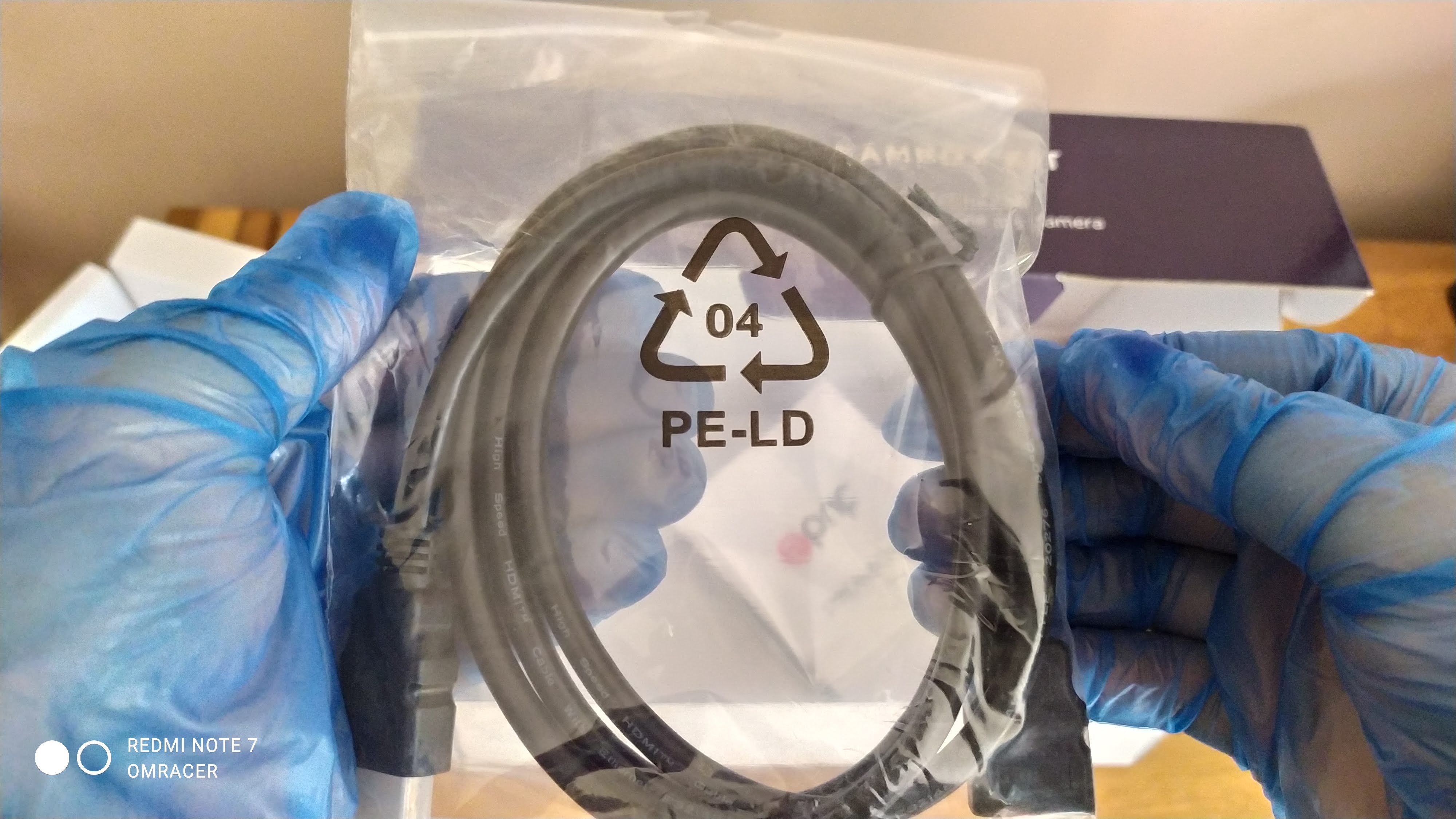
  • 1 x HDMI to HDMI Cable
  • 1 x Driver DVD (We do not look into this actually) 
  • 1 x Manual

A look in the box before we open it


Showing underneath the flap
 

 Now for this bit, the Dual USB cable is acutally surprising on this, since most cases laptops now support USB 3.0

The Dual USB to usb type C

The Manual is one of the things i've seen and helped written,  Now it is detailed and also gives screenshots on how to do things, this is always a good shout. Even with how to use and install the Software from the CD. That and the table of troubleshooting is good. 


A Blurred look at the manual

When it comes to the CD/DVD, it does mention that Cyberlink Power Director and also SysCap is put on there. Most of the Drivers you will find out are what we call UVC which really applies to 8.1 and 10 more than 7. This means plug and play which means you do not need the disc to set this up.


The blurred look at the CD

Also the HDMI Cable and the 3.5mm Jack cable is added in. This is useful since of the issue that PS4 can not allow multi output (But the PS3 can even if it reduces the audio channels to stereo), so you can plug in the Dualshock 4 into the box.

Also a jack to jack cable is added in
 

With that all done, it was time to test and setup: 


Setting up the Kit: 

The microphone: 

Getting this instaled was easy for most devices, but with the Xiaomai 6 Pro, there was a problem where the realtek drives did not pick it up, but actually that was to the laptops fault. Using modded drivers fixed that issue and it worked fine when selecting Mic in using the Pop up on plugin option in Realtek Audio console . The quality is not too bad from a distance, not mich of a boom unless your lips are closer, this is not omni directional from what i can make of it.
 

The Webcam: 


Now this is where things really make a difference, since the bezel on the Maibenben is quite thin, it can make it tricky for it to grip on, but with normal monitors, the grip is much much better.  Which OBS just picked it up no problem and I really even managed to do a comparison of the 2 cameras on the laptop (one built in and one of the Prif camera).

The 2 camera on OBS from my view
The camera look from OBS on its own

This allows me to then change any settings such as brightness or even  the contrast just inc ase. 

The Camera settings

Both cameras shown sort of PiP

But that means its good for the 720p which can only record at 30 FPS but bundled woth this kit, the quality is quite good.  More realism on the light compared to the camera built in.  

But then it was time to have a look at the big part. 

The Streambox: 

Now for this bit, since the box is supposed to also be plug and play aka UVC compatible. But we check that in Device manage when its plugged in. I also used a cheap USB type C cable to USB A and not the cable it was provided with. Device manager tells us its a camera, not a video device. The cheap cable does not work with quality but a Morphie or braided USB to C to USB A cable works nicely 


The Device general tab

The Driver tab

The Driver details

The Look at the Hardware ID

The Device description

Now that name is somewhat dejavu in a way, I will tell you why, its Velocap U3 Pro in a cut down version, I kid you not. By that regard it means I have a feeling about the quality and well, its GOOOD. Now it made no issues on response times if playing directly in OBS preview, well maybe some minor input lag but only some games will notice that. If you look at the properties as well, it does mention there is a separate audio device for that box as well.

The properties of the U3 in OBS


 But when I was previewing it, it worked on PS4 no problems, with non HDCP on the box no problem. Even 1080p 60fps works fine. But if HDCP is turned on or use a PS3, then sadly its a blank screen.

The PS4 working Fine without HDCP (Resolution is at 720p due to the Acer monitor not supporting 1080p)

The HDCP makes it like this or if resolution is changed

HDCP turned on makes this happen

The PS3 CAN work if you use a HDCP Splitter or in this case the TBOX Mini as a passthrough


Testing: 

Now what can I say, it was smooth as butter and the laptop managed to record using all 3, even at 1080p 60fps with no lag. But the sound I did need to tweak since the Turtle Beach headset I used and plugged into the Streambox did cause it to do a double echo since it was used along with the Mic in, Also there is a chance t could have echoed using the microphone using the HD Webcam. 

Remember the laptop or PC must be powerful enough to record or stream 1080p 60fps, 4K will downscale but I don't have 4k so cannot test this. In the case of the Maibenben, the quality worked fine with very little issues. The Camera worked fine and looked good, perfect for lets plays, green screen would work but the light will need to be a bit brighter in my opinion. 


Conclusion: 

Now this is a great bit of kit for the Price, yes I might of purchased overpriced compared to prices I've seen but they might be used or refurbished. But for what i want, its got everything I want and ease of use, well its there and that is what matters. The U3 being UVC or plug and play, its really the best feature since drivers for capture cards or boxes can be a nightmare to sort, the Velocap u2. 
That was a clear example of messed up drivers being the problem and boy it killed the review rating ( I need to review that) . The camera works fine even if it can be a bit problematic for some uses who do not look after cables properly. The Mic is clear if spoken close to it. 

With all this in mind. 

omracer's Rating: 8/10

The Good Points: 

  • Bundle of 3 items
  • Amazing Value for that bundle 
  • Decent Looking of each item
  • Works with OBS Studio or any App for streaming
  • Both the Streambox and the Camera being UVC aka plug and play
  • Records 1080p 60fps no problem if the laptop or desktop can handle it
  • The Camera can fit onto a tripod
 

 The Bad Points: 

  • Can be hard to find brand new, be wary if the price is £19.99
  • The Camera uses a Micro USB Connection so can be easily damaged
  • Make sure you have Audio drivers if you use the Mic on laptop (Windows default Drivers will not work) 
  • Some slight glitches on the recording on loading screens or resolution changes in game
 
 
And there you have it, now that for me will be eased off for 2 weeks or so. Plans to accerlate and Future with special to be chosen and questions to be asked (the normal blog might clear that up one day). But this will be used for things like Fallguys and even other games in the later of this year. 

all the best

omracer


Monday, 16 September 2019

Maibenben Xiaomai 6A Celeron N4100 Nividia MX250 15.6" Laptop

Well, this review was a wish of mine to get done and finally, I got it done and also got nearly paid for it with doing a few tasks via directly. But for a good sale and chats with the Maibenben team and also the good remarks from Techtablets and with the £200 saving compared to the current price it is selling now, was this a good buy. Well from research and content creation standards, this might not be what I dreamed off but for gaming......we will see, the video is below:


Note this video had taken 3 days to film. On and off after work and chores etc. Also, add the price of £79.54 for the dam HMRC customs and FedEx sorting it out.

The Packaging: 

The outer box

Well, this arrived with actually another box which allowed me to get the feeling of accomplishment done by giving a mouse and a mousemat and the EU adapter (since the 271 price was for the EU version, the UK sold out but that won't matter with power cables). The mouse looks cool but is a basic 1200 DPI mouse (which is poor for final cut pro from, the looks) and the mousemat is basic but got the nice branding. 


The Mouse Mat

The box of the mouse 

The bakc of the box of the mouse
The mouse and cable


Underneath the mouse

The EU Plug, (since the UK model was out of stock) 


This was the contents of the bigger box


Then it came to the box. 

A pure white box with the Maibenben logo and the specs and serial in Chinese which is fair but it also has a nice professional standard to it, the warranty sticker is a good touch of how much detail the company has with their machines. 

The front of the Box

Ratings and fragile at the side 

The back of the box


The inside:


Then we deal with the inside which is a full-on mini manual, Warranty card, the Mains adapter of 19V, 3.42A (common which is good if I break it, I hope) and the laptop in the protective cover. This is looking like my standard so far. 

The warranty card, the manual, charger and the laptop

The specs of the charger

Using my UK Cloverlead cable with the laptop charger


Then we deal with the actual laptop. Featured with: 

  • 1 x Type C usb port
  • 2 x USB 3.0 Ports 
  • 1 x USB 2.0 Ports
  • 1 x SD Card Reader 
  • 1 x Power jack
  • 1 x 3.5mm Audio Combo Jack
  • 2 x Lines on the front of the screen
  • 1 x webcam in a strange place
The top of the laptop
The bottom of the Laptop

When we open it up 


The Ports on the side 

More Ports on the other side 

Notice its a film over the keyboard

The webcam in a strange place 

The Power Button

The Turning on and installation

Charging. 

Then it was time to turn it on and check the charger. Which when i did test it, the metal did stick out but was stiff so can't complain there. 

The charging light

The charger and a budget Kingston usb drive plugged in. 


The power light on button 


One good thing is that the USB are not too close to each other but bulkier ones than the Kingston might struggle if together. But then it was the BIOS to gaze. 


The BIOS and EFI shell. 


Well, the bios seem to be locked down sadly. For most, that's, not a problem but it means that you might not be able to get the most out of the laptop in away. But it is an aptio one so it means it can be easier to mod if need be. But some boot menus from this indeed are good. 

The main info

Advanced settings but its locked

The hard disk config

Security and all that 

Boot menu 

Leaving the bios 

EFI shell

This took 3 attempts to take a picture of the logo.

Installing Windows: 

The Main install. 

Well, it actually went smoother than I guessed on how to do this, It made it a breeze but not the fastest USB drive in the world I can gather. But it installed Windows 10 in about 20 minutes. There were some partitions on there which were odd since it was like it was not really meant to have windows installed since this is the DOS version (no OS). 

Installing 10

Setting up

The Language

Then it was the usual setups and things. But I got into windows 10 pretty quickly once that was done. I also got the Mousemat out and tested the mouse too, it was pretty responsive. 

The setup. 

Activation 

This shocked me when I checked the activation said it worked, like a Windows 10 Home digital License, well that shocked me and made me save £40 or so quid. 

The activation worked. 

Drivers. 

Well thanks to the MaiBenBen site and Windows update, this was actually a brilliant way to get the drivers. It let me install all of them without a hitch AND i updated to the latest MX250 drivers fron the Geforce website, sure it was DCH drivers but meh. 

Copying the drivers from USB

The graphics left to install 

Now the MX250 from Windows uipdate

It actually worked

And then 436.30 update from Nivida worked after that. So it was time for a Benchmark. 

The Testing: 


1: Benchmarking - User Benchmark. 


Well; this was not easy to set up for the Mx250, in the end forcing every app to make it use the GPU, it was a bit better and though the rating looked poor, it seemed better than I expected in framerate. I did get better results with tweaking afterburner to overclock both clocks. 


The benchmarks

Another 

And another

and even another one 


The Intel-only one was pretty abysmal but that was to be expected, the second running when windows updates were not being shoved down throat was a better result. But on both the SSD was really quite slow, maybe a firmware upgrade might fix it. Well i checked WD  dashboard anyway, the firmware was up to date so could be a slow drive. Then it was time to get some games to play, the reason people want this budget laptop.

2: Games: 


I have decided 4 games to test, some are common like Fornite and Minecraft, Then i decided a bit of Forza Horizon 4 and also Sims 4 too. Now originally this was tested via the capture card but after learning after filming, the performance was BETTER when not plugged into the screen. So most of that I had to refilm. But some really interesting looks when this happened.


The Setup (with steambox off)

The HDMI Cable goes here

Fortnite: 

This can achieve 720p 60FPS on LOW settings which i think is an achievement in its own right for a sub £500 laptop let alone a sub £300 laptop in this special price range. But when with the HDMI i was bordering 30FPS.

720 30FPS when using HDMI
In-Game settings 
It was pretty sharp


1080p, on the other hand, did lag quite a bit like 20 frames at most.


Raie it all to high

It looks amazing but laggy
But if i lowered the settings but still kept it 1080p, it was not as bad as I would guess it to be.


The settings for 1080p low

That couch looks great

Forza Horizon 4:

This actually shocked me, Well actually when I played using the HDMI capture card, it was slow and laggy, with about 21 fPS when the CPU was outputting much more. Like really, it didn't make sense. 

it did have to optimize the PC. 


But when I plugged it in and tested the benchmark mode on the laptop alone, it was near 35-40FPS. That is a major improvement, but when I played the game it did just crash after the first corner in the intro race. 

The benchmark

SEttings in basic

Advanced Settings

It was a massive delay with screenshotting

Still beautiful to look at

This was major lag the rally part of spring

Eventually into the game but still a bit of  delay


Minecraft (windows 10): 

This was reaching 45 FPS on the HDMI capture card and fancy graphics off made it quite smooth i will admit. 


The Minecraft on the HDMI
But When I plugged into power and not used the HDMI it was mostly a solid 60FPS.  No lag or issues at all if Fancy Graphics is turned off, well even with it on 1080p was decent at 20 render blocks.


Settings for Minecraft

More settings

The last bit of settings

Apex Legends: 


Well, this was actually doing really well, getting to 60FPS on 720 Low settings when using the HDMI, This was about 50FPS when using the laptop alone. 


The settings when via HDMI

Training went well 


But 1080p was a bit more laggy with the settings to say the least.


in 1080p settings 

some things to tweak to improve the framerate 


The Sims 4: 


This ran actually really quickly and was not straining on 1080p high settings. I think 720p was nearing 90 FPS. This was just in the menu and using the HDMI. When on the laptop alone, on 1080p  High settings you're looking at 75FPS. 

Just from the launch its a high framerate

The settings for 1080p


Summary: 


This was actually a surprise and games played really well. Streaming from the laptop via HDMI capture might lag on some games which are a good one, I can work on it though. 


Videos: 


The webcam:


We webcam is a 720p 30FPS one which is at the bottom of the laptop screen. It's quite poor in low lighting and laggy.  OBS didn't day many settings for it either. But in daylight, it was actually quite good and a bit grainy but its a cheap laptop in this regard, but the sound was pretty clear and not as scratchy mic as i guess.


The settings in OBS


A selfie in daylight

Bless Rosie

The odd benefit of the cam being lower is I can film the omracer eats videos much easier to show the food off. But You'll see that another time. 


Handbrake: 


Actually, this was better than I expected. Quicksync does play a better part in this. The webcam video was converted int less than 1 minute and the quality was not so different from the original.

Handbrake in action


A comparison of the converted files and original 


OBS: 

Well, this surprised me yet again. It managed to stream 720p 60FPS smoothly on 1 game via the PS4 at least. Tetris effect actually worked and smoothly Play both streaming AND recording, maybe its not as demanding as other titles but it worked. 


Setting up

Tetris Effect: 

This was 720p 60FPS pretty much constant, it shocked me when it happened since it a pretty advanced graphical game but it was smooth and really astounding and i've not been as good at Tetris unlike others are pros.

The initial streaming settings

The FPS

It was working, but it is smoother without the previews


With Wipeout Omega Collection: 

This was a STRUGGLE for it and I'm not surprised since even my steam box with the i5-7400 was struggling on the Intel HD graphics.

This is streaming Zone 
The settings for Streaming Wipeout. 


But it made me feel this had more power than i guessed and well I can work with it, 30FPS should feel better too.

Vegas Pro 15: 


Well this was the worst test of them all, sadly due to the NVENC chip not being useful and CUDA not really used for this anymore. it was finally a time to see how it went anyway. I did make a quick edit of a clip. 
Editing

The MX250: 


Well, this was not as good at all, maybe WORSE than Quicksync. But there are the settings below: 

Making the settings in Vegas


The status of the GPU is not supported. 

The result of the video

Intel HD Graphics: 


 This was actually a bit more reasonable, now it was slightly longer than realtime for rendering the clip, even when plugged in.


The Settings

The result of the 1st attempt. 

Then I started to use Throttleshop and the limit remove of TDP as per the guide  The tried it again and it did improve the speed.

just 1 second off realtime which is amazing. 

To conclude this, it can work for video editing for a basic level, just be more patient with rendering times and 60fps 720 will struggle for sure.


Battery Life: 


Well, this was a good part of it as if I didn't plugin and occasionally used this for internet users, i can actually get at least 6 hours on it. I know when I left it on downloading the games that were on for a whopping 10 hours and it was fully flat when I got home but that was with the display off but wifi on to let the games download for sure.

When I was streaming, it was going down by 30% for the hour I did stream so it did pack a punch, the gaming side was a bit more the same maybe a bit less used. 

The Screen. 

This is great for the indoors but sadly outdoors in good day sunlight, it feels like you can NOT see a thing at all.

This is how bad the lux of the screen can be. 


The Insides: 

Well, this was the final part, well to have a look to see what you can fit underneath and it was surprised on how much of as solid build this Laptop really was. 2 Screws were tricky to take out which is my typical luck for this.


The before the laptop bottom panel is taken off

The bottom panel

Inside the laptop

Good design on the heatsinks

8GB ADATA ram but rumoured it performs slowly

The SATA 2.5" 7mm HDD fitting. 


Conclusion: 


This is one shock and impressive laptop for the pricing point. I mean if gaming is your main concern but don't have £600 then this is looking like a DECENT option, I mean tone down to 720p for best effort but still, i can stream from a console on this at least which is a good start. The battery life for normal tasks is good and the SSD isn't as superfast as i guessed but that can be easy really. 
Video editing is a bit of a weak shame but Quicksynce doesn't make it completely useless


omracer's Rating: 8/10


The Good Points: 

  • A Celeron and a Nividia card in the same laptop
  • Windows has been activated (but its not installed) 
  • It lets me actually stream and record on OBS 720p 60FPS at the same time for some PS4 games/consoles
  • Metallic Design
  • Amazing battery life
  • Nice keyboard protector
  • Type C on the side
  • Decent quality charger'
  • Not too heavy

The Bad Point: 

  • Not Type C for charging
  • The BIOS is not easy to tweak
  • The MX250 does NOT SUPPORT NVENC
  • Could have been a better SSD, the WD Green SSD is weaker than others i've sold. 


Well that is that for that and now I can actually get more streaming been done and also make some fun with videos if I go, but this is poor for running final cut pro on if I wanted to.

All the best
omracer